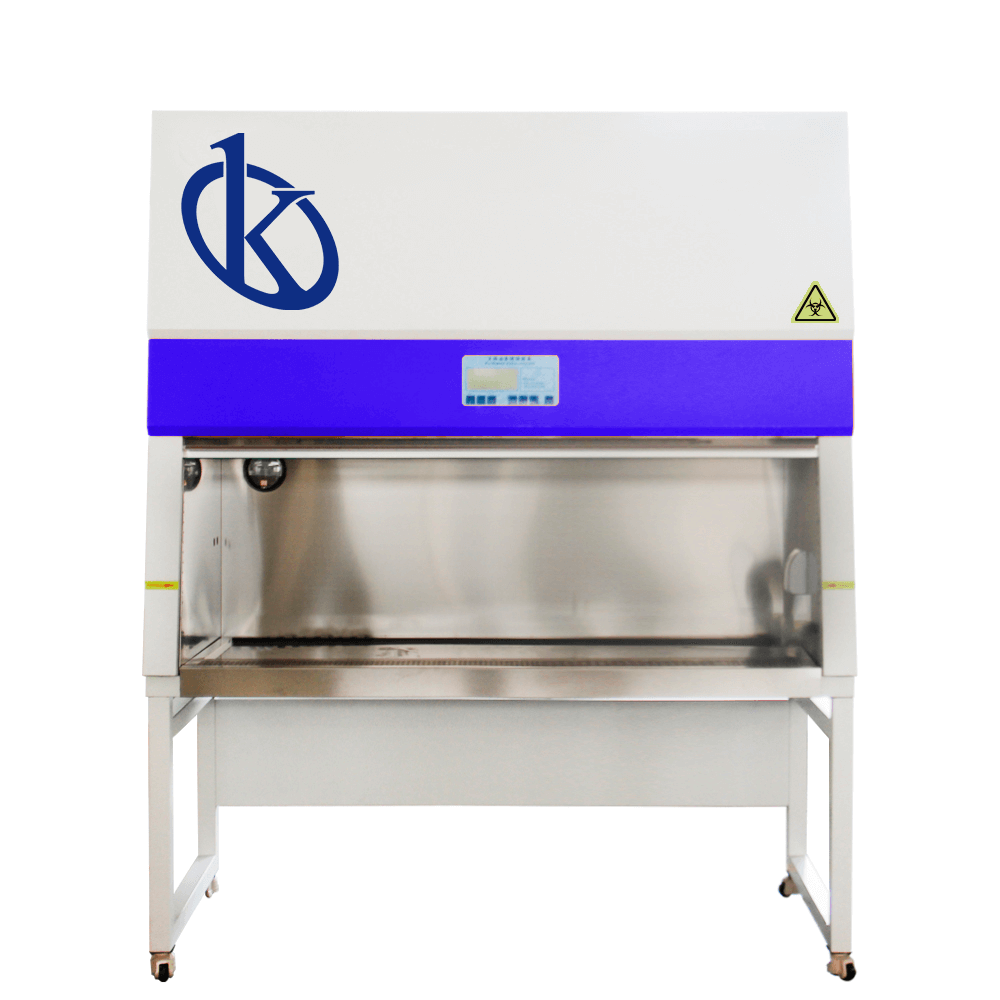
Common Errors and Troubleshooting Symptoms for the YR05705 Biosafety Cabinet
The YR05705 Biosafety Cabinet is an essential instrument in ensuring safe laboratory practices, particularly in environments where biological material is handled. However, like any advanced piece of equipment, it can encounter issues that may disrupt its functionality. Understanding common errors and troubleshooting symptoms is crucial for operators to maintain optimal performance. This article will guide you through the most frequent problems associated with the YR05705, their symptoms, probable causes, and effective solutions.
Technical Specifications of the YR05705
| Specification | Details |
|---|---|
| Model | YR05705 |
| Class | 100@≥0.5μm (US Federal 209E) |
| No. of Colonies | ≤0.5 CFU/plate·hour (Φ90 mm culture plate) |
| Average Wind Speed | 0.38±0.025 m/s (within door) |
| Noise Level | ≤65dB(A) |
| Power Supply | Single Phase AC 220V/50Hz |
| Dimensions | 1200×800×2100 (mm) |
| Weight | 210 KG |
Troubleshooting by Symptoms
This section is structured around common symptoms that users might experience with the YR05705. Each symptom includes probable causes and solutions to assist in effective troubleshooting.
Equipment Does Not Power On
One of the most alarming issues is when the YR05705 fails to power on. Here are the probable causes and solutions:
- Cause: Power supply issue.
- Solution: Check if the power cord is securely connected to both the cabinet and the power source.
- Cause: Faulty circuit breaker.
- Solution: Inspect the circuit breaker and reset if necessary.
- Cause: Internal fuse blown.
- Solution: Replace the internal fuse if damaged.
Error Code E-03
Receiving the E-03 error code indicates a problem with the airflow or filter. Here’s how to troubleshoot this:
- Cause: Blocked air filter.
- Solution: Check and replace the HEPA filter if it is clogged.
- Cause: Airflow obstruction.
- Solution: Ensure that nothing is obstructing the airflow within the cabinet.
Inconsistent Airflow Readings
If you notice that the airflow readings are inconsistent, it may indicate a malfunction:
- Cause: Calibration issue.
- Solution: Re-calibrate the airflow measuring device as per the manufacturer's guidelines.
- Cause: Environmental factors.
- Solution: Check if the cabinet is placed in an area with high external air interference.
Symptom-Cause-Solution Matrix
| Symptom | Probable Cause | Solution |
|---|---|---|
| Equipment does not power on | Power supply issue, faulty circuit | Check power connections, reset circuit breaker |
| Error code E-03 | Blocked HEPA filter | Replace filter |
| Inconsistent airflow readings | Calibration issue | Re-calibrate measuring device |
Regular Maintenance Tips
To minimize the occurrence of errors, regular maintenance of the YR05705 is crucial. Here are some recommended practices:
- Weekly: Check and replace HEPA filters as needed.
- Monthly: Inspect the airflow system and clean any obstructions.
- Annually: Schedule a professional service to ensure all systems are functioning optimally.
Frequently Asked Questions
What should I do if the YR05705 shows a constant alarm?
A constant alarm usually indicates a critical error, such as filter blockage or airflow failure. Immediately check the filters and airflow paths for obstructions. Refer to the user manual for specific alarm codes and troubleshooting steps.
How can I ensure proper sterilization during usage?
To ensure proper sterilization, always keep the cabinet clean and free from contaminants. Ensure that the glass door is fully closed during operation to maintain a sterile environment.
Can the YR05705 handle high-traffic laboratory conditions?
Yes, the YR05705 is designed for high-traffic environments; however, regular checks on the airflow and filter status are essential to maintain its efficiency under busy conditions.
What is the lifespan of the HEPA filter in the YR05705?
The HEPA filter typically has a lifespan of around 1-2 years, depending on the frequency of use and contaminant levels in the environment. Regular inspection will help determine when it needs replacement.
Are there any specific cleaning agents recommended for the YR05705?
It is recommended to use mild, non-corrosive cleaning solutions to clean the surfaces of the YR05705. Avoid any abrasive materials that could scratch the stainless steel surfaces.
How do I calibrate the airflow in the YR05705?
Calibration of airflow can be performed using a flow hood or an anemometer. Refer to the equipment manual for detailed calibration procedures and intervals.
Conclusion
Maintaining the YR05705 Biosafety Cabinet in optimal condition is paramount for ensuring safety and efficiency in laboratory practices. By understanding common errors and implementing effective troubleshooting strategies, operators can significantly reduce downtime and enhance productivity. Regular maintenance and attention to the symptoms outlined in this article will help keep your YR05705 running smoothly.
If you are looking for a fusion of innovation and quality, you have come to the right place. At Kalstein, we offer you the luxury of exploring our exclusive catalog of laboratory equipment. We manufacture every device to the highest standards of excellence. Our intuitive and seamless online purchasing channels are designed for your convenience, securing the most competitive prices. Hesitate no longer — we bring science to life, it is time to become part of our community.