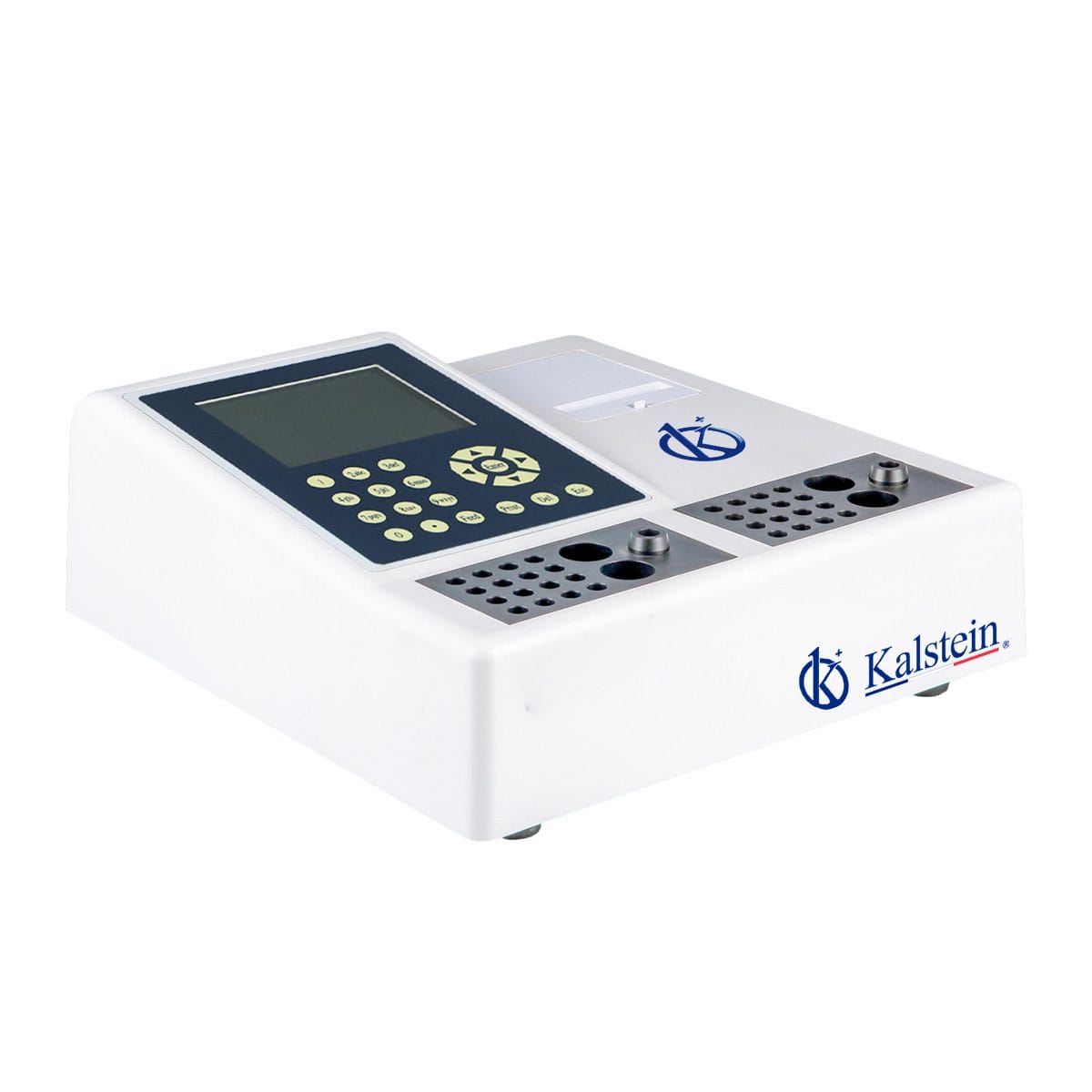
Common Errors and Troubleshooting Symptoms for the YR06173 Veterinary Coagulometer
The YR06173 Veterinary Coagulometer is a sophisticated device designed for accurate coagulation testing in veterinary medicine. However, like all laboratory equipment, it can encounter errors that may disrupt its operation. Understanding these common errors and the appropriate troubleshooting methods is essential for maintaining the functionality and efficiency of the YR06173.
Understanding the YR06173 and its Technical Specifications
| Specification | Details |
|---|---|
| Model | YR06173 |
| Built-in incubator | 37°C ± 0.2°C |
| Sample positions | 32 (2*16) |
| Reagent positions | 4 (2*2) |
| Data input | Membrane keypad |
| Printer | Built-in thermal printer, 58mm wide paper |
| Operation language | English, other languages are available on request |
| Power supply | 220V, 50Hz / 110V, 60Hz |
| Dimension | 30cm x 40cm x 15cm |
| Weight | 5.5kg |
Troubleshooting Symptoms of the YR06173
When working with the YR06173, users may experience various symptoms indicating potential issues. Below are common symptoms, their probable causes, and recommended solutions.
| Symptom | Possible Causes | Recommended Solutions |
|---|---|---|
| Equipment does not power on | Incorrect power supply, damaged power cord, internal malfunction | Check power connections, replace power cord, contact service support |
| Error code E-03 | Calibration error, malfunctioning sensor | Recalibrate the device, inspect and replace the sensor if necessary |
| Inconsistent readings | Faulty reagents, improper sample handling, equipment calibration issue | Verify reagent integrity, ensure proper sample collection and handling, calibrate the device |
| Printer not working | Out of paper, printer hardware failure | Check for paper jams, replace paper roll, service printer if malfunction persists |
Common Error Codes Associated with the YR06173
The YR06173 may display several error codes that require specific attention. Familiarizing yourself with these codes will aid in faster troubleshooting.
| Error Code | Description | Solution |
|---|---|---|
| E-01 | Power failure detected | Check power supply connections |
| E-02 | Sensor malfunction | Inspect sensor functionality |
| E-03 | Calibration error | Recalibrate the device |
| E-04 | Reagent error | Check reagent compatibility and integrity |
Maintenance Tips for the YR06173
Regular maintenance of the YR06173 ensures its longevity and accuracy. Here are some essential maintenance tips:
- Regular Calibration: Always calibrate the device according to the manufacturer's instructions to ensure accurate readings.
- Clean the Device: Regularly clean the exterior and internal components to prevent contamination.
- Check Reagent Expiry: Ensure that reagents used are within their expiry dates to avoid faulty results.
- Inspect Power Cables: Regularly check for any wear or damage to the power cables to ensure safe operation.
Frequently Asked Questions
What should I do if the YR06173 displays an error code?
If the YR06173 displays an error code, refer to the user manual for specific troubleshooting steps related to that code. Common solutions include checking connections, recalibrating the device, or inspecting reagents.
How can I maintain the YR06173 for optimal performance?
To maintain the YR06173 effectively, regularly calibrate the device, clean its components, check reagent dates, and inspect power cables for any damage.
What common symptoms indicate that the YR06173 needs troubleshooting?
Common symptoms include the device not powering on, displaying error codes, providing inconsistent readings, and printer malfunctions.
How often should I calibrate the YR06173?
Calibration frequency depends on usage; however, it is advisable to calibrate the YR06173 before significant testing sessions or once a week for high-use environments.
Are there specific reagents that work best with the YR06173?
Yes, specific reagents are designed for use with the YR06173. Always refer to the manufacturer's recommendations for compatible reagents.
What power supply is required for the YR06173?
The YR06173 requires a power supply of 220V, 50Hz or 110V, 60Hz. Ensure you are using the correct voltage to avoid equipment damage.
How can I request maintenance or service for the YR06173?
You can request maintenance or service by contacting the support team. It's essential to provide the model number and a detailed description of the issue.
If you are looking for a fusion of innovation and quality, you have come to the right place. At Kalstein, we offer you the luxury of exploring our exclusive catalog of laboratory equipment. We manufacture every device to the highest standards of excellence. Our intuitive and seamless online purchasing channels are designed for your convenience, securing the most competitive prices. Hesitate no longer — we bring science to life, it is time to become part of our community.