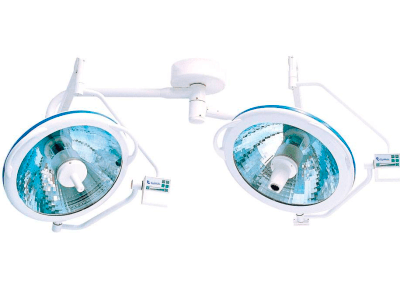
Common Errors and Troubleshooting Symptoms for the YR06000 Operating Lamp
The YR06000 Operating Lamp is a vital tool in modern surgical environments, known for its efficiency and reliability. However, like any sophisticated equipment, users may encounter issues that require troubleshooting. This guide focuses on common symptoms associated with the YR06000 and presents effective solutions to ensure smooth operation.
Technical Description of the YR06000 Operating Lamp
| Specification | Details |
|---|---|
| Model | YR06000 |
| Brand | Kalstein |
| Category | Operation Lamp |
| Price (USD) | $148.00 |
| Gross Weight | 7 kg |
| Dimensions | 50 x 50 x 8 cm |
Troubleshooting by Symptoms
Equipment Does Not Power On
If the YR06000 does not turn on, check the following possible causes:
- Ensure the power source is functional and properly connected.
- Inspect the power cable for damage.
- Verify that the circuit breaker has not tripped.
To resolve this issue, follow these steps:
- Plug the lamp into a different outlet.
- Replace the power cable if damaged.
- Reset the circuit breaker if necessary.
Inconsistent Light Intensity
Inconsistent lighting can compromise surgical procedures. Common causes include:
- Worn-out bulbs that need replacement.
- Improper positioning of the lamp.
- Electrical issues within the lamp.
To address this problem, try the following solutions:
- Replace the halogen bulb with a new one.
- Adjust the position of the lamp for optimal light distribution.
- Have a technician inspect the internal wiring.
Error Code E-03 Displayed
Error codes can indicate specific malfunctions. If E-03 appears:
- This may signify a fault in the light source.
- Check for overheating issues.
Steps to resolve E-03:
- Turn off the lamp and let it cool down.
- Inspect the bulb for proper installation.
- Consult the manufacturer’s guide for further instructions.
Symptom-Cause-Solution Matrix for YR06000
| Symptom | Possible Cause | Solution |
|---|---|---|
| Does not power on | Power source issues | Check power connections |
| Inconsistent light intensity | Damaged bulb | Replace the bulb |
| Error code E-03 | Faulty light source | Inspect and reset |
Frequently Asked Questions
What maintenance does the YR06000 require to prevent errors?
Regularly inspect the lamp for any signs of wear, replace bulbs as needed, and ensure all connections are secure to maintain optimal performance and prevent errors.
How can I adjust the height of the YR06000 lamp?
The YR06000 features adjustable height settings. Follow the manufacturer's guidelines to modify the height based on your surgical needs.
What should I do if the light color changes unexpectedly?
A change in light color may indicate bulb degradation. Inspect the bulb and replace it if necessary to restore the original light quality.
What are the common safety features of the YR06000?
The YR06000 includes features such as overheat protection and a secure mounting system to ensure safe operation during medical procedures.
How can I contact customer support for the YR06000?
Customer support can be reached through the manufacturer’s contact details provided in the user manual, ensuring assistance for any technical issues you may face.
Is it possible to use the YR06000 in different types of surgeries?
Yes, the YR06000 is versatile and can be used in various surgical environments, providing optimal illumination for different procedures.
What are the specifications for replacing the halogen bulb in the YR06000?
Refer to the manufacturer's documentation for the exact specifications and part numbers needed for replacing the halogen bulb in the YR06000.
If you are looking for a fusion of innovation and quality, you have come to the right place. At Kalstein, we offer you the luxury of exploring our exclusive catalog of laboratory equipment. We manufacture every device to the highest standards of excellence. Our intuitive and seamless online purchasing channels are designed for your convenience, securing the most competitive prices. Hesitate no longer — we bring science to life, it is time to become part of our community.