Understanding Environmental Conditions and Installation Requirements for the YR06160 Veterinary X-Ray
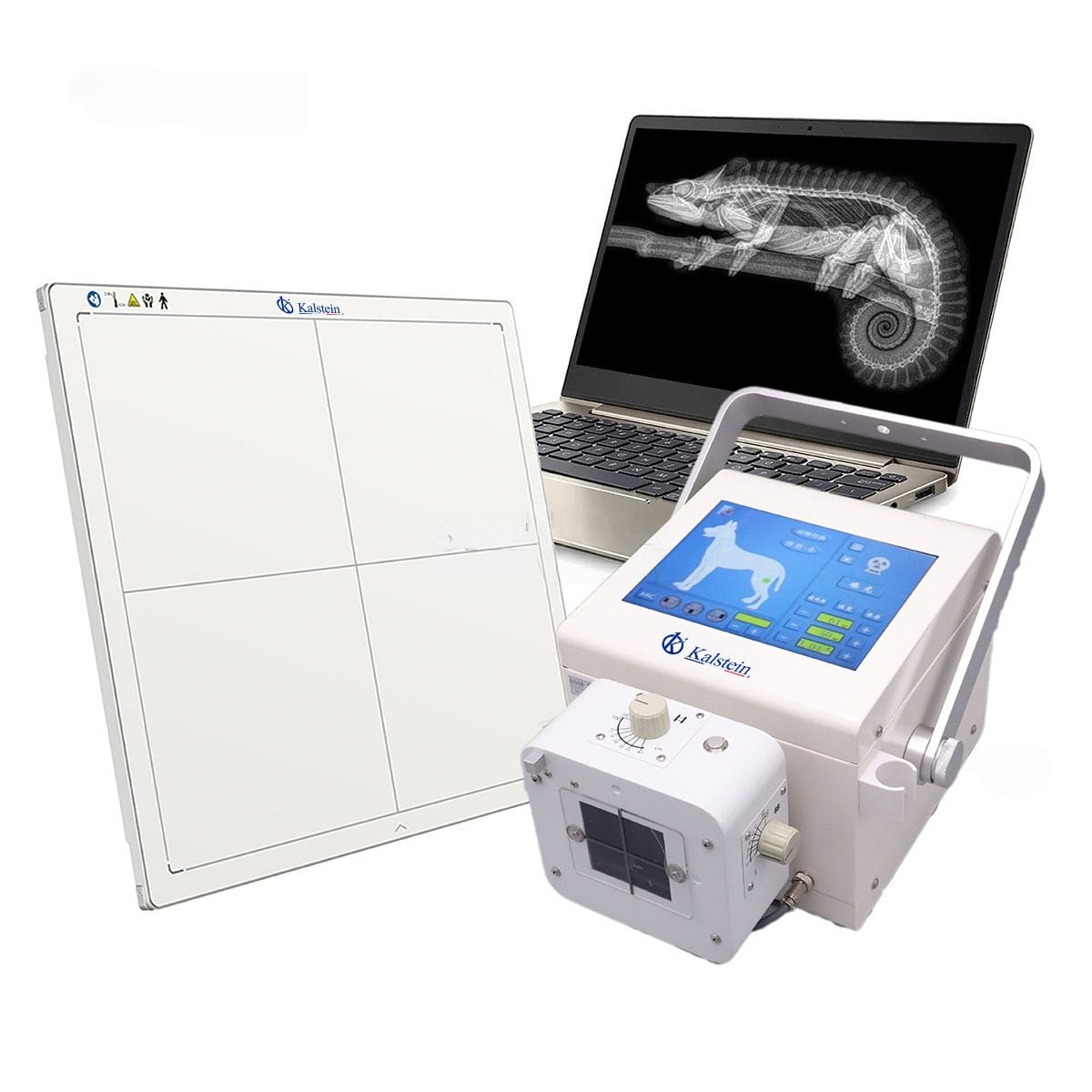
The YR06160 Portable Digital Veterinary X-Ray is a cutting-edge device designed to ensure high-quality imaging for veterinary practices. However, to fully harness its capabilities, it is essential to understand the environmental conditions and installation requirements that must be met. This guide will dive deep into these critical aspects, providing you with the knowledge necessary to optimize your use of this remarkable technology.
Installation Requirements for the YR06160
Proper installation of the YR06160 is crucial for its performance and longevity. Below are the primary requirements to consider when setting up your device:
- Unboxing Checklist: Ensure that all components, including the main unit, power supply, wireless flat panel detector, and cables are present.
- Site Preparation: The installation site should be stable, free of vibrations, and ideally situated away from high electromagnetic interference (EMI) sources.
- Clearances: Maintain adequate space around the device for ventilation and ease of operation.
- Power Supply: Confirm that the voltage and frequency match the device requirements (AC 220V±10%, 50Hz±1Hz).
- Networking Setup: If using wireless features, ensure a stable WiFi connection for optimal functionality.
Environmental Conditions for Optimal Operation
The operating environment plays a significant role in the performance of the YR06160. Here are the key conditions to maintain:
- Temperature Range: The device operates best within a temperature range of 10°C to 30°C.
- Humidity Levels: Ideal humidity levels should be between 30% and 80% to prevent condensation and damage to the electronic components.
- Ventilation: Ensure that the area is well-ventilated to dissipate heat generated during operation.
- Vibration Control: Minimize exposure to vibrations from nearby equipment or machinery that could affect imaging quality.
Technical Specifications of the YR06160
| Specification | Details |
|---|---|
| Model | YR06160 |
| Power | 5kW |
| kV Range | 40~110kV |
| mA Range | 20~100mA |
| Exposure Time | 40ms~4000ms |
| Weight | 19kg (Main Unit) |
| Dimensions | 290mm x 265mm x 230mm |
| Touch Screen Size | 10.4-inch |
Common Installation Mistakes and Solutions
Awareness of common installation mistakes can significantly reduce setup time and operational issues. Here are some frequent pitfalls and their solutions:
- Improper Grounding: Ensure that the device is properly grounded to avoid electrical hazards.
- Insufficient Space: Always leave enough space for airflow and maintenance access around the device.
- Ignoring Power Requirements: Double-check that the device is plugged into a compatible power outlet.
Installation and Configuration Checklist
| Step | Description |
|---|---|
| 1 | Unbox and inspect all components for damage. |
| 2 | Identify a suitable installation site with the right environmental conditions. |
| 3 | Connect the device to the power supply and network. |
| 4 | Calibrate the device according to the user manual. |
| 5 | Perform a test run to ensure proper functionality. |
Frequently Asked Questions
What environmental conditions are required for the YR06160 to function optimally?
For optimal functioning of the YR06160, it is essential to maintain a temperature range of 10°C to 30°C and humidity levels between 30% and 80%. Proper ventilation and minimal vibration are also critical.
How can I ensure my YR06160 is installed correctly?
To ensure correct installation, follow the unboxing checklist, prepare the installation site, ensure proper power supply and network connection, and verify that there is sufficient space for airflow and access.
What should I do if the YR06160 does not power on?
If the YR06160 does not power on, check that it is correctly plugged into a functioning outlet. Ensure that there are no blown fuses and verify that the power supply meets the specified requirements.
Can I operate the YR06160 in a high-humidity environment?
While the YR06160 can function in environments with humidity levels up to 80%, operating in excessively high humidity can lead to condensation and potential damage to internal components. It's best to keep humidity levels below 80%.
What maintenance is required for the YR06160?
Routine maintenance for the YR06160 includes checking connections, cleaning the touch screen, and ensuring that the device is calibrated. Regular inspections can help prevent operational issues and prolong the lifespan of the unit.
How does the YR06160 perform under varying temperature conditions?
The YR06160 is designed to operate effectively within a temperature range of 10°C to 30°C. Extreme temperatures outside this range can affect the performance and accuracy of the device.
If you are looking for a fusion of innovation and quality, you have come to the right place. At Kalstein, we offer you the luxury of exploring our exclusive catalog of laboratory equipment. We manufacture every device to the highest standards of excellence. Our intuitive and seamless online purchasing channels are designed for your convenience, securing the most competitive prices. Hesitate no longer — we bring science to life, it is time to become part of our community.