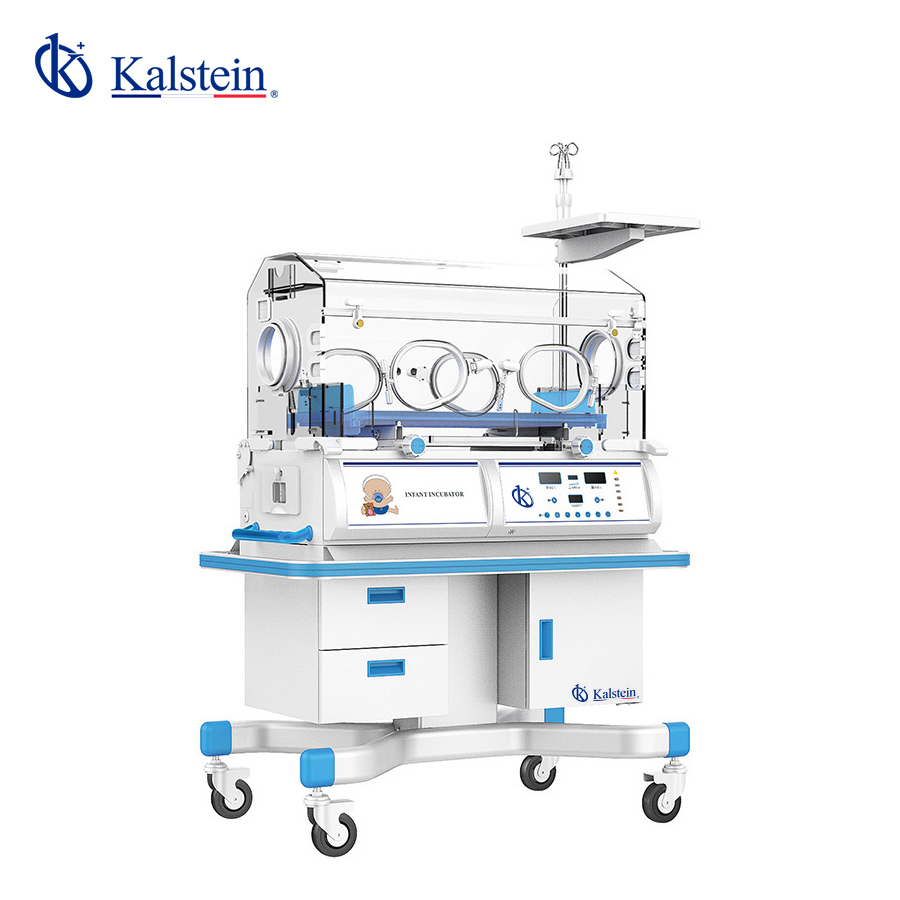
Installation and Commissioning Guide for the YR02186 Infant Incubator
The YR02186 Infant Incubator is designed to create an optimal environment for newborn patients with advanced temperature regulation systems and caregiver-friendly features. This guide aims to provide healthcare professionals with an in-depth understanding of the installation and commissioning process, ensuring that the incubator operates effectively and safely.
Understanding the YR02186 Infant Incubator
The YR02186 is built to support the needs of premature or ill term infants by maintaining a stable and controlled environment. Key features include microprocessor-controlled temperature management, an aluminum structure for consistent heat retention, and auditory and visual alarm indicators for safety.
Technical Specifications of the YR02186
| Feature | Description |
|---|---|
| Model | YR02186 |
| Temperature Control | Air and skin temperature monitoring |
| Adjustable Incline | Up to 10 degrees |
| Aluminum Heat Preservation Tank | Yes |
| Access Ports | 2 ports, 4 windows |
| Weight | Gros: 120 kg |
| Dimensions | 108 x 64 x 92 cm |
Unboxing and Initial Setup
Upon receiving the YR02186, follow these steps for a successful unboxing and initial setup:
- Carefully remove the incubator from its packaging, ensuring that no components are damaged during the process.
- Check the included items against the unboxing checklist: incubator unit, power cord, user manual, and optional accessories.
- Inspect the incubator for any visible damage and report issues immediately.
- Position the incubator in a designated location that meets all site preparation requirements, ensuring a stable and level surface.
Power-Up Sequence and Calibration
Follow these steps for powering up the YR02186 and performing initial calibration:
- Connect the power cord to a suitable power outlet.
- Turn on the incubator using the main power switch.
- Allow the incubator to complete its self-check function, which verifies all systems are operational.
- Set the desired temperature parameters based on the clinical guidelines for the specific infant being monitored.
Ensure that temperature readings on the display match expected values before proceeding.
Common Setup Mistakes and Troubleshooting
During the installation and commissioning process, professionals may encounter common issues. Below are some troubleshooting steps:
- Issue: Incubator does not power on.
Solution: Check power connections and ensure the outlet is functional. - Issue: Temperature fluctuations detected.
Solution: Verify calibration settings and check for obstructions in air circulation. - Issue: Alarm indicators continuously activate.
Solution: Review alarm settings and ensure that the incubator is not experiencing environmental disturbances.
Environmental Requirements for Optimal Operation
To optimize the operation of the YR02186, it is critical to consider the following environmental conditions:
- Temperature: Maintain a controlled room temperature of 20-25 °C.
- Humidity: Ensure that humidity levels are within the recommended range for the incubator.
- Vibration: Position the incubator on a stable surface free from excessive vibrations.
Optional Accessories and Customization
The YR02186 can be enhanced with several optional accessories:
- X-ray cassette
- Side and front-rear doors
- Humidity monitor and controller
- Double-wall hood
- Adjustable vertical height
- Phototherapy unit (LED light or OSRAM tubes)
Frequently Asked Questions
What is the optimal temperature setting for the YR02186?
The optimal temperature setting for the YR02186 will vary based on the infant's specific needs but typically ranges from 32 to 37 °C for premature infants.
How do I maintain the YR02186 Infant Incubator?
Regular maintenance includes cleaning the water reservoir, verifying calibration, and checking all alarm systems to ensure they function correctly.
What alarms does the YR02186 feature?
The YR02186 features audible and visual alarms for multiple failure modes, allowing caregivers to respond promptly to issues.
Can I integrate the YR02186 with other medical equipment?
Yes, the YR02186 has an RS-232 connector for integration with various medical monitoring and data logging systems.
What should I do if I encounter an error code on the YR02186?
Refer to the user manual for a detailed explanation of error codes. Common steps include resetting the incubator and checking for any operational faults.
Is there a warranty on the YR02186?
The YR02186 typically comes with a standard manufacturer’s warranty that covers defects in materials and workmanship. Refer to the warranty documentation for specific terms.
Where can I find replacement parts for the YR02186?
Replacement parts can be sourced through authorized distributors, and a list of compatible accessories is often available in the product manual.
If you are looking for a fusion of innovation and quality, you have come to the right place. At Kalstein, we offer you the luxury of exploring our exclusive catalog of laboratory equipment. We manufacture every device to the highest standards of excellence. Our intuitive and seamless online purchasing channels are designed for your convenience, securing the most competitive prices. Hesitate no longer — we bring science to life, it is time to become part of our community.