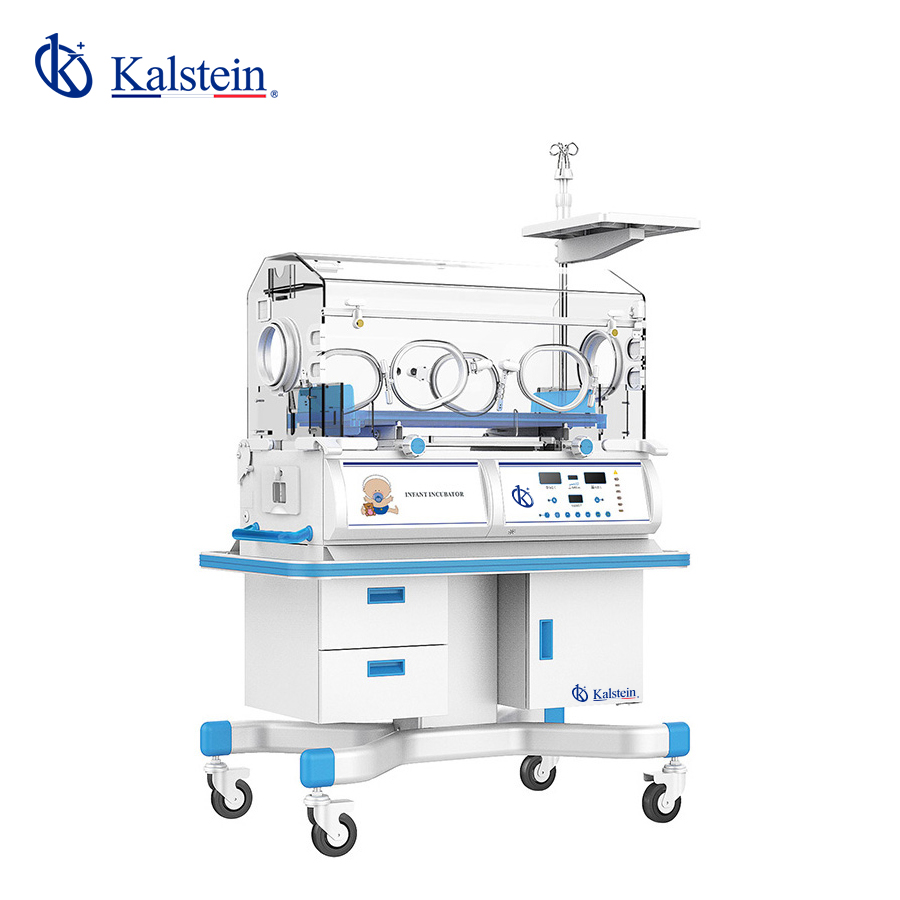
Installation and Commissioning Guide for the YR02186 Infant Incubator
The YR02186 Infant Incubator is a critical piece of equipment designed to create a controlled environmental condition suitable for newborn patients. This guide will provide a comprehensive overview of the installation and commissioning process, ensuring that healthcare professionals can set up the incubator effectively for optimal performance.
Understanding the YR02186 Infant Incubator
The YR02186 model features an advanced thermal regulation system, allowing precise control of temperature and noise levels to enhance patient comfort. Equipped with a microprocessor-controlled servo system, this incubator ensures reliability and accuracy in temperature control, crucial for the delicate care of infants.
Technical Specifications of the YR02186
| Feature | Specification |
|---|---|
| Model | YR02186 |
| Air Temperature Control | Yes |
| Skin Temperature Control | Yes |
| Temperature Control at 37 °C | Yes |
| Reclining Bed | Yes |
| Humidity Control | No |
| Aluminum Heat Retention Tank | Yes |
| Access Ports | 2 Ports, 4 Windows |
| Adjustable Working Height | No |
| Additional Back Door | No |
| Low Noise DC Motor | No |
Unboxing and Initial Setup
When you receive the YR02186 Infant Incubator, it is essential to follow a structured approach to unboxing and initial setup. Begin by checking the contents against the shipping list to ensure all components are included:
- YR02186 Infant Incubator
- User Manual
- Power Cord
- Humidity Monitor (if included)
- Optional Accessories (if ordered)
Once verified, remove the incubator from its packaging carefully to avoid damage. Position the incubator on a stable, level surface, ideally in a quiet area to minimize disturbances for the newborn.
Power-Up Sequence and First-Run Calibration
Before powering up the YR02186, ensure that it is connected to a suitable power source with the correct voltage and frequency specifications. Follow these steps for the power-up sequence:
- Connect the power cord to the incubator and plug it into the outlet.
- Turn on the main power switch located at the back of the unit.
- Observe the startup sequence on the display panel, which should indicate self-check procedures.
- Once the self-check is complete, set the desired air and skin temperature parameters for calibration.
Common Setup Mistakes to Avoid
During installation and setup, it is crucial to avoid common mistakes that could impact the functionality of the YR02186:
- Failure to level the incubator properly, which can affect temperature distribution.
- Incorrect power supply connection, leading to potential equipment damage.
- Not performing the initial calibration, which is essential for accurate temperature control.
Maintaining Optimal Operating Conditions
After successful installation, maintaining optimal operating conditions is essential for the YR02186. Regularly monitor the incubator’s performance, checking:
- Temperature settings against actual readings.
- Visual and audible alarms for any irregularities.
- Inspecting the humidity levels if applicable.
Frequently Asked Questions
What steps should I take if the YR02186 does not power on?
If the YR02186 does not power on, ensure that it is properly plugged into a functioning outlet and check the power cord for any visible damage. Additionally, verify that the main power switch is turned on.
How can I troubleshoot error codes on the YR02186?
Error codes can be indicative of various issues. Consult the user manual for a list of error codes along with their meanings and recommended troubleshooting steps.
What is the recommended cleaning procedure for the YR02186?
Regular cleaning of the incubator is important. Use a soft cloth with a mild disinfectant to wipe surfaces, paying particular attention to any removable parts that may require more thorough cleaning.
How can I adjust the bed tilt of the YR02186?
The YR02186 has a continuous adjustment feature that allows for a bed tilt of up to 10º. Adjust the tilt using the provided mechanism, ensuring that it is securely locked in place after adjustment.
What optional accessories are available for the YR02186?
Optional accessories for the YR02186 include a humidity monitor, side access doors, and a dual-wall hood for enhanced environmental control. These can be acquired separately based on operational needs.
How often should I perform maintenance checks on the YR02186?
It is recommended to perform maintenance checks every three months or as needed based on usage and environmental conditions. This includes checking electrical connections, temperature calibration, and cleaning procedures.
How can I request a quote for the YR02186 model?
To request a quote for the YR02186 Infant Incubator, please reach out through our sales channel or contact support for further assistance.
If you are looking for a fusion of innovation and quality, you have come to the right place. At Kalstein, we offer you the luxury of exploring our exclusive catalog of laboratory equipment. We manufacture every device to the highest standards of excellence. Our intuitive and seamless online purchasing channels are designed for your convenience, securing the most competitive prices. Hesitate no longer — we bring science to life, it is time to become part of our community.