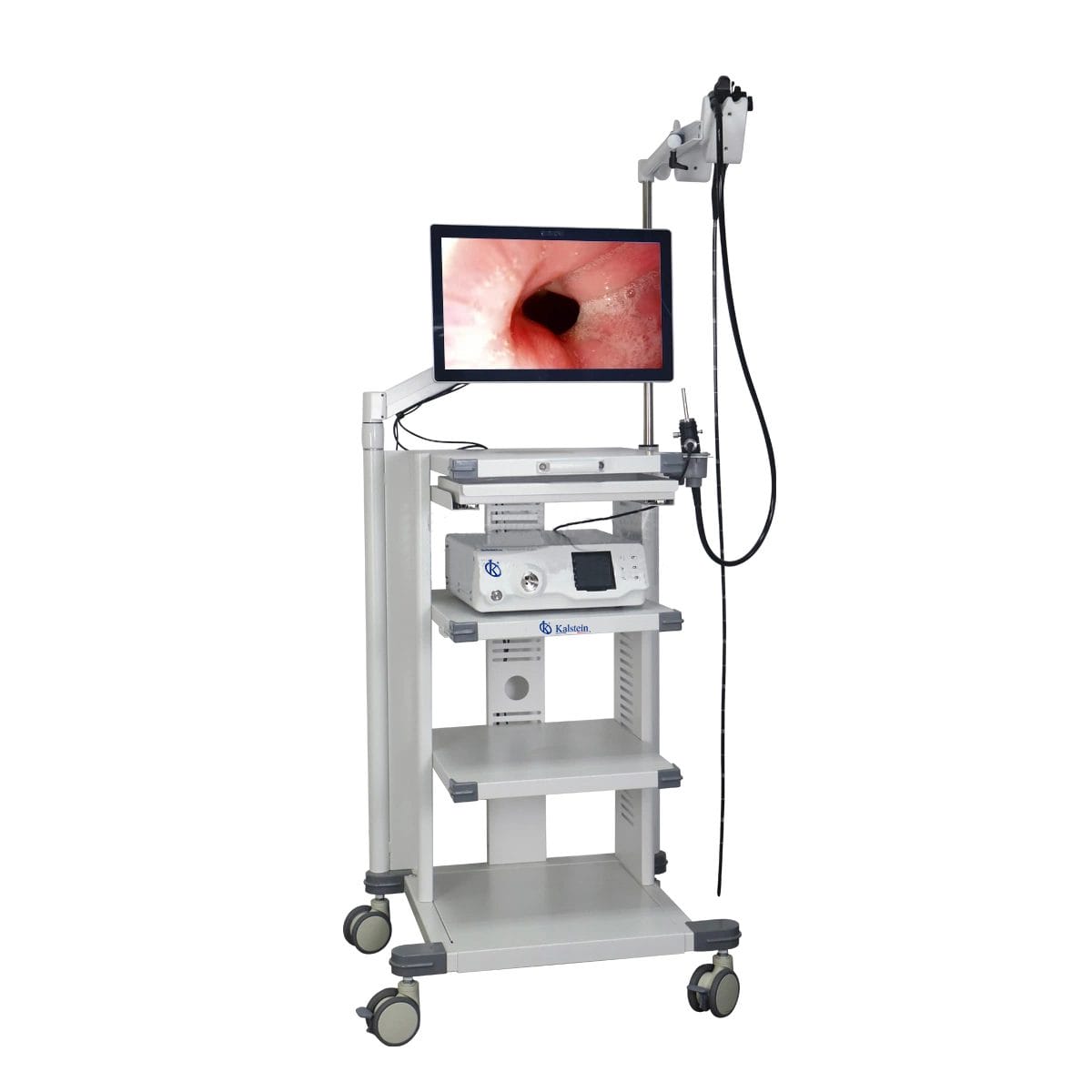
Installation and Setup Guide for the YR06147 Veterinary Video Endoscope
The YR06147 Veterinary Video Endoscope is designed for various clinical applications such as gastroscopy, colonoscopy, and bronchoscopy in companion animals like dogs and cats, as well as for larger animals like horses and cattle. This guide provides detailed instructions on the installation and setup process of the YR06147, ensuring you can maximize its functionality and accuracy during veterinary procedures.
Unboxing and Initial Setup
Before diving into the setup, ensure that you have the following items from the packaging:
- YR06147 Video Endoscope
- 21.5-inch medical touch monitor
- Power supply unit
- Endoscope handle with multifunction buttons
- Documentation including user manual and warranty information
- Cleaning kit for maintenance
Location and Placement Requirements
Choosing the right location for the YR06147 is crucial for optimal performance. Consider the following factors:
- Surface Leveling: Ensure the setup surface is flat and stable to prevent equipment movement.
- Power Source: Place the unit near a power outlet to avoid using extended cables that could pose safety hazards.
- Ventilation: Ensure the area is well-ventilated to prevent overheating during use.
- Accessibility: Ensure the equipment is easily accessible for operators and patients alike.
Connecting the Equipment
Follow these steps to connect the YR06147 and prepare for initial calibration:
- Connect the endoscope handle to the video processing unit securely.
- Plug in the power supply to the unit and power outlet.
- Connect the medical touch monitor to the processing unit using the provided HDMI cable.
- Ensure all connections are secure and check for any loose cables.
Power-Up Sequence and Calibration
Once everything is connected, follow the power-up sequence:
- Press the power button on the processing unit.
- Wait for the monitor to display the system startup screen.
- Follow on-screen prompts to calibrate the device. This may include adjusting brightness settings and resolution options, typically set to FHD 1080P for clear imaging.
Calibration should ensure that the endoscope is functioning correctly. Conduct a test by inserting the endoscope into a calibration model if available.
Common Setup Mistakes and Troubleshooting
Here are some common mistakes to avoid when setting up the YR06147:
- Loose Connections: Ensure all cables are tightly connected to avoid power or signal loss.
- Incorrect Calibration: Always follow calibration instructions to ensure accurate imaging.
- Improper Placement: Ensure the endoscope is positioned correctly relative to the area being examined.
Technical Specifications of the YR06147
| Model | Diameter of Insertion Tube | Working Channel | Working Length | View Angle | View Depth | Range of Bending | Resolution |
|---|---|---|---|---|---|---|---|
| YR06147 | 7.8 mm | 2.2 mm | 1500 mm | 140° | 3~100 mm | 180° (Up), 130° (Down), 100° (Right), 100° (Left) | FHD 1080P (2M pixels) |
Frequently Asked Questions
What are the primary clinical applications of the YR06147 Veterinary Video Endoscope?
The YR06147 is designed for various clinical applications, including gastroscopy, colonoscopy, and bronchoscopy in companion animals such as dogs and cats. It is also suitable for procedures in large animals like horses and cattle.
How do I maintain the YR06147 for longevity?
To maintain the YR06147, regularly clean the endoscope using the provided cleaning kit after each use, ensure proper storage when not in use, and follow any specific maintenance guidelines outlined in the user manual.
What resolution does the YR06147 provide?
The YR06147 offers Full HD 1080P resolution, ensuring clear and detailed images during examinations, thus aiding in accurate diagnostics.
What should I do if the screen does not display any images?
If there are no images on the screen, check all connections to ensure they are secure. Also, ensure the power is on, and the endoscope is properly inserted. If issues persist, refer to the troubleshooting section of the manual.
What is the warranty period for the YR06147?
The YR06147 typically comes with a warranty period of one year, covering manufacturing defects and ensuring peace of mind for users.
Can the YR06147 be used for both small and large animals?
Yes, the YR06147 is designed to handle procedures for both small companion animals and larger animals, making it a versatile tool in veterinary practice.
Conclusion and Call to Action
If you are looking for a fusion of innovation and quality, you have come to the right place. At Kalstein, we offer you the luxury of exploring our exclusive catalog of laboratory equipment. We manufacture every device to the highest standards of excellence. Our intuitive and seamless online purchasing channels are designed for your convenience, securing the most competitive prices. Hesitate no longer — we bring science to life, it is time to become part of our community.