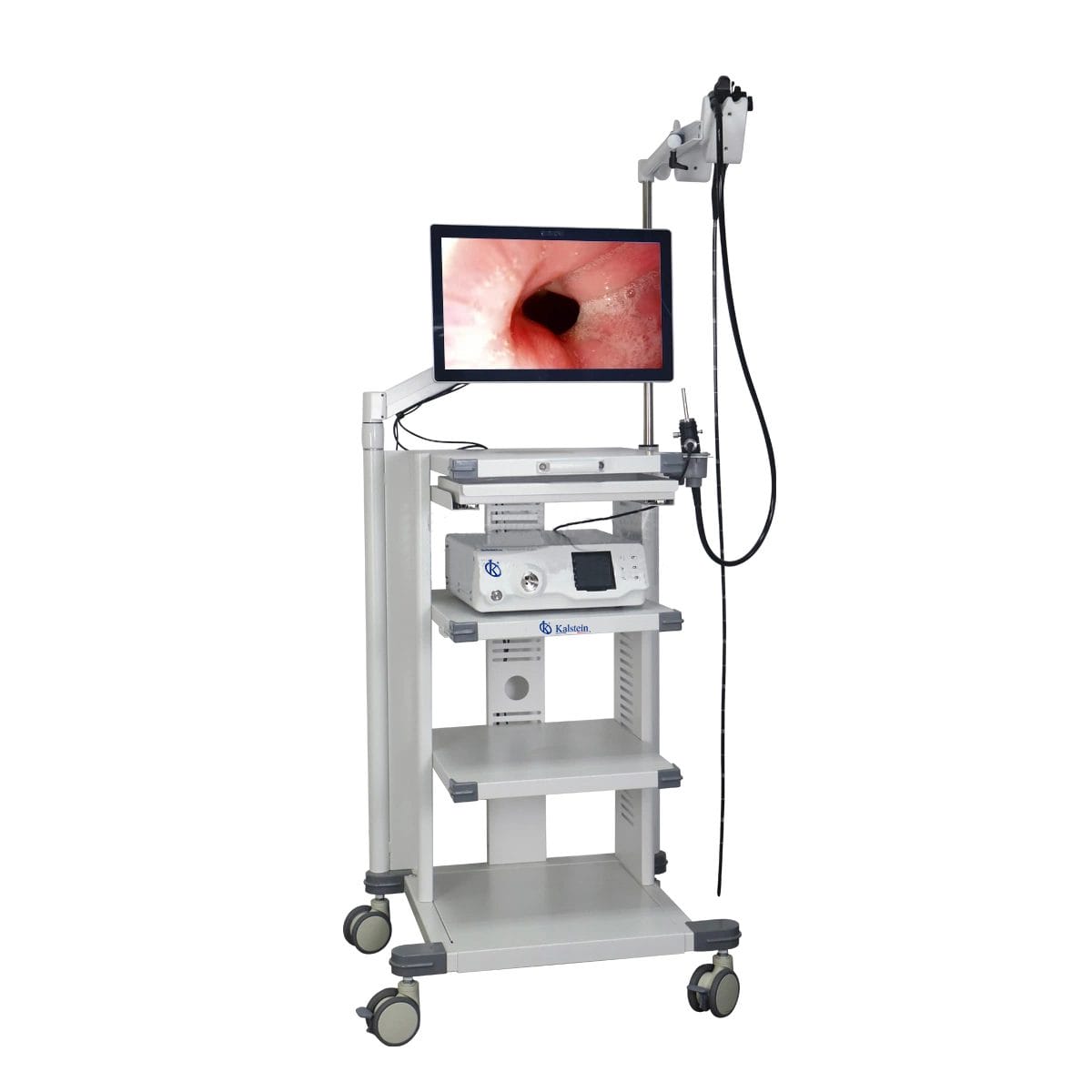
Installation and Setup Guide for the YR06148 Veterinary Video Endoscope
The YR06148 Veterinary Video Endoscope is an advanced, high-definition imaging tool designed for various clinical applications in veterinary medicine. This guide aims to provide a detailed overview of the installation and setup process, ensuring that operators can effectively utilize the full capabilities of this sophisticated equipment.
Understanding the YR06148 Veterinary Video Endoscope
The YR06148 endoscope is tailored for a range of veterinary applications including gastroscopy, bronchoscopy, and colonoscopy in both small companion animals like dogs and cats, as well as larger animals such as horses and cattle. Its high-definition imaging capabilities enhance diagnostic accuracy, making it an indispensable tool in veterinary practices.
Technical Specifications for the YR06148
| Model | Diameter of Insertion Tube | Working Channel | Working Length | View Angle | View Depth | Range of Bending | Resolution |
|---|---|---|---|---|---|---|---|
| YR06148 | 9.2 mm | 2.8 mm | 1500 mm | 140° | 3~100 mm | 180° (U), 130° (D), 100° (R), 100° (L) | FHD 1080P (2M pixels) |
Unboxing and Initial Setup
When you receive the YR06148, begin by carefully unboxing the equipment. Ensure that all components are present and undamaged. This includes the endoscope itself, the image processor, and any cables or accessories.
- Check for any external damage on the packaging.
- Verify the contents against the included checklist.
- Familiarize yourself with the user manual and warranty information.
Anchoring and Leveling the System
For optimal performance, it is essential to ensure the work area is stable and free from vibrations. Anchor the imaging processor and position it on a flat surface. Adjust the leveling feet as necessary to secure the unit in place.
- Use a level tool to check for evenness.
- Ensure that there is sufficient space around the unit for ventilation.
Power-Up Sequence and Calibration
Once the YR06148 is properly anchored and leveled, follow these steps to power up the unit:
- Connect the power cable to the imaging processor and plug it into a power outlet.
- Turn on the device using the power button.
- Allow the system to complete its startup process.
- Perform the initial calibration by navigating to the calibration settings in the menu.
- Follow the on-screen instructions to complete the setup.
Common Setup Mistakes to Avoid
During setup, operators may encounter various issues that can lead to inefficiencies or errors. Here are common mistakes to watch for:
- Failing to secure the endoscope and processor properly.
- Neglecting calibration procedures, which can lead to inaccurate readings.
- Improper connection of cables, which can affect functionality.
Frequently Asked Questions
What is the optimal environment for using the YR06148 endoscope?
The YR06148 should be used in a clean, stable environment, free from excessive vibrations and moisture. Temperature and humidity levels should be kept within the manufacturer’s specifications for optimal performance.
How do I perform maintenance on the YR06148 endoscope?
Regular maintenance involves cleaning the endoscope after each use, checking for wear on the insertion tube, and ensuring all connections are secure. Follow the cleaning instructions outlined in the user manual for best practices.
What types of procedures can I perform with the YR06148?
The YR06148 is versatile and suitable for a variety of veterinary procedures including gastroscopy, colonoscopy, bronchoscopy, and more. It can be utilized in both small and large animal practices.
How do I troubleshoot if the system does not power on?
If the YR06148 does not power on, check the following: ensure the power cable is securely connected, verify that the power outlet is functioning, and perform a reset of the system if necessary.
What are the available accessories for the YR06148?
Accessories include specialized cleaning brushes, additional light sources, and replacement cables. Ensure that all accessories are compatible with the YR06148 for optimal functionality.
How can I obtain technical support for the YR06148?
Technical support can be accessed through the manufacturer's website or by contacting customer service directly. Ensure you have your product model and serial number available for reference.
Can I request a quote for the YR06148 endoscope?
Yes, quotes for the YR06148 can be requested through our sales department for further assistance and pricing information.
If you are looking for a fusion of innovation and quality, you have come to the right place. At Kalstein, we offer you the luxury of exploring our exclusive catalog of laboratory equipment. We manufacture every device to the highest standards of excellence. Our intuitive and seamless online purchasing channels are designed for your convenience, securing the most competitive prices. Hesitate no longer — we bring science to life, it is time to become part of our community.