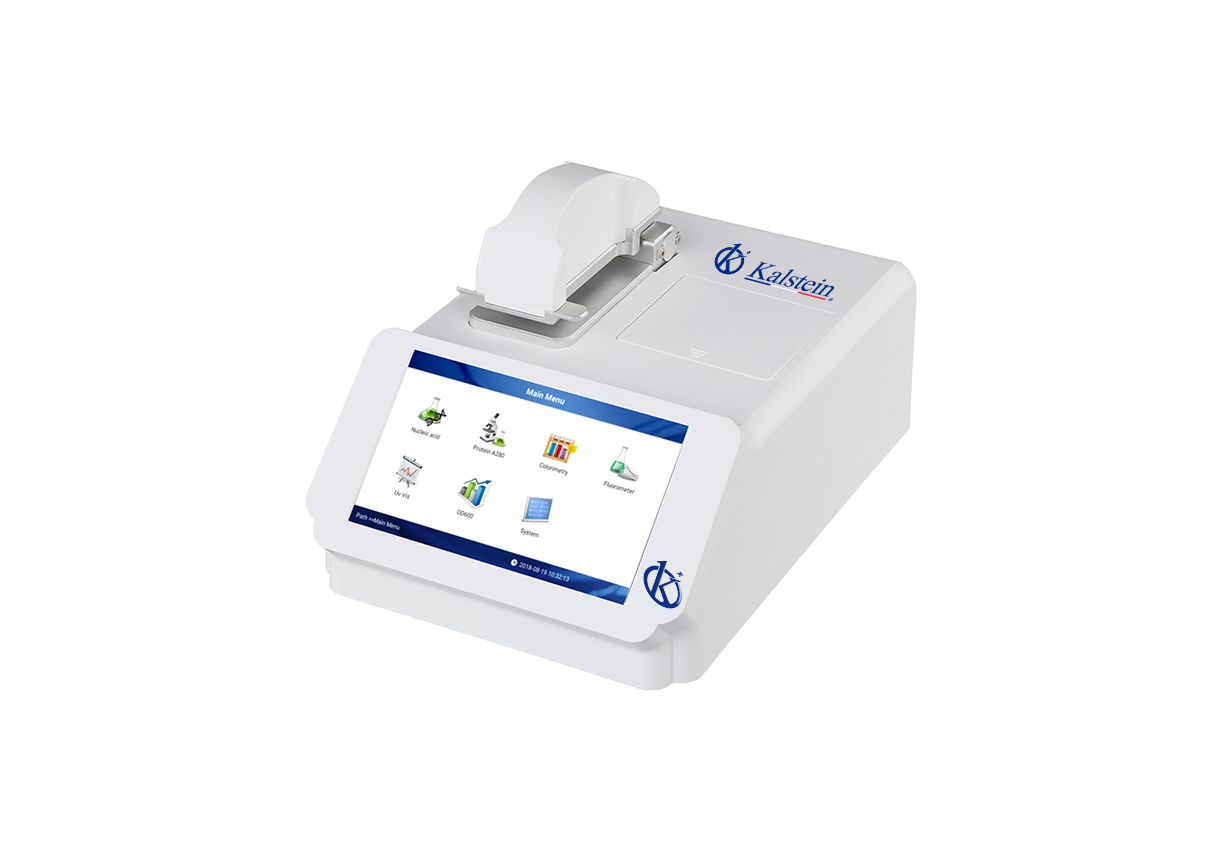
Installation and Startup Guide for the YR06035 Micro Spectrophotometer
The YR06035 Micro Spectrophotometer is an advanced UV VIS spectrophotometer designed to provide accurate measurements in a compact and user-friendly format. This guide aims to provide a detailed walkthrough for the installation and startup of this sophisticated instrument, ensuring it operates at its best from the very first use.
Unboxing Checklist
Before proceeding with the installation of your YR06035, ensure all components are included in the box. The unboxing checklist includes:
- YR06035 Micro Spectrophotometer
- Power adapter and cable
- Instruction manual
- Sample cuvettes
- USB data cable
- Calibration standards (if applicable)
Site Requirements and Preparation
To ensure optimal performance of the YR06035, it is essential to prepare the installation site according to the following specifications:
| Condition | Requirement |
|---|---|
| Temperature Range | 20°C to 25°C |
| Humidity | Less than 60% RH |
| Voltage | 24 V DC |
| Space Requirements | At least 50 cm clearance around the device |
| Vibration | Minimal; avoid installation near heavy machinery |
Leveling and Anchoring
Once the site is prepared, the next step is to position the YR06035. Ensure the unit is level to prevent measurement errors.
Follow these steps:
- Place the unit on a stable, flat surface.
- Use a leveling tool to verify that the device is horizontal.
- If necessary, adjust the feet of the instrument to achieve proper leveling.
Power-Up Sequence
Connect the power supply to the YR06035 and follow this power-up sequence:
- Plug the power adapter into a wall outlet.
- Connect the adapter to the YR06035.
- Press the power button located on the front panel.
Once powered, the device will initiate startup diagnostics. Wait for the touchscreen interface to appear, indicating the system is ready for use.
First-Run Calibration
Calibration is crucial for ensuring accurate measurements. Follow these steps for first-run calibration:
- Ensure the device is warmed up for at least 15 minutes.
- Insert a blank cuvette (filled with the solvent used for your samples) into the measurement chamber.
- Access the calibration menu from the touchscreen.
- Follow on-screen instructions to complete the calibration process.
Calibration should be verified with known standards to ensure accuracy.
Common Setup Mistakes
To avoid issues during the installation and startup of the YR06035, be mindful of the following common mistakes:
- Incorrect power supply connection, leading to power failures.
- Failure to level the instrument, affecting measurement accuracy.
- Neglecting to perform calibration before the first use.
Technical Specifications of YR06035
| Parameter | Specification |
|---|---|
| Model | YR06035 |
| Wavelength Range | 200-800 nm |
| Minimum Sample Volume | 0.5-2.0 μl |
| Light Source | Xenon flash lamp |
| Detector Type | 2048-element linear CCD array |
| Accuracy of Wavelength | 1 nm |
| Measurement Time | <6 seconds |
Frequently Asked Questions
What sample types can be measured with the YR06035?
The YR06035 is designed to measure nucleic acids and proteins in a variety of sample types, including biological samples, pharmaceuticals, and environmental samples. The instrument requires only a small sample volume for effective analysis.
How do I ensure accurate readings from the YR06035?
To ensure accurate readings, always perform calibration before use, keep the device level, and use clean cuvettes devoid of scratches or fingerprints. Regular maintenance and calibration verification with standards are also recommended.
What maintenance is required for the YR06035?
The YR06035 requires minimal maintenance. Regularly check and clean the optical components, and make sure the touchscreen interface is free from debris. Calibration should be performed periodically to maintain measurement accuracy.
How do I troubleshoot if the YR06035 does not power on?
If the YR06035 does not power on, check the power cable connection, ensure the outlet is functional, and verify the power adapter compatibility. If the problem persists, consult the troubleshooting section of the user manual.
Can the YR06035 store measurement data?
Yes, the YR06035 can export measurement data via USB for analysis and storage. An integrated printer is also available for physical printouts of results.
What are the dimensions and weight of the YR06035?
The YR06035 has dimensions of 208 x 320 x 186 mm and weighs 3.6 kg, making it a compact choice for laboratory settings.
If you are looking for a fusion of innovation and quality, you have come to the right place. At Kalstein, we offer you the luxury of exploring our exclusive catalog of laboratory equipment. We manufacture every device to the highest standards of excellence. Our intuitive and seamless online purchasing channels are designed for your convenience, securing the most competitive prices. Hesitate no longer — we bring science to life, it is time to become part of our community.