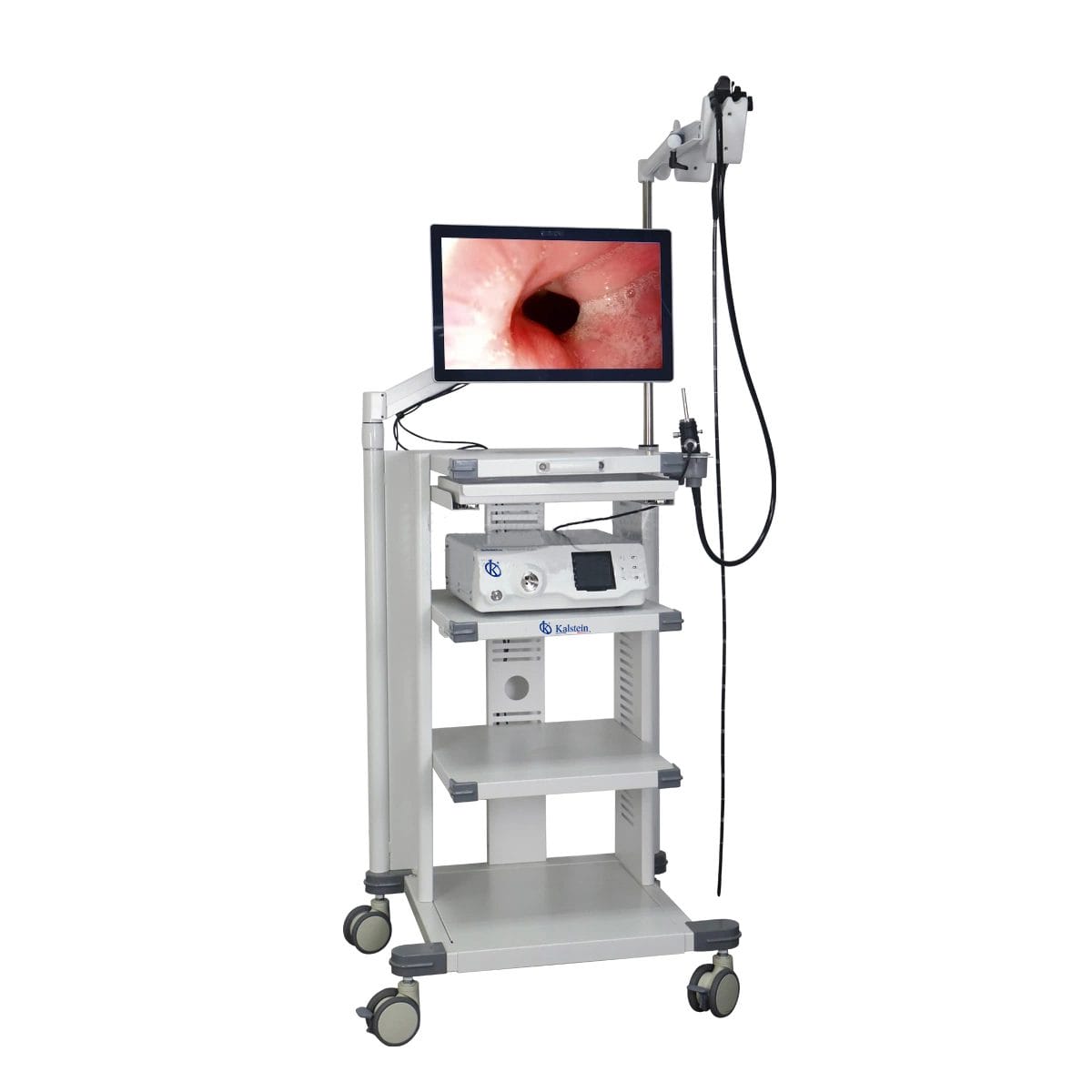
Installation and Startup Guide for the YR06147 Veterinary Video Endoscope
The YR06147 Veterinary Video Endoscope is a sophisticated tool designed for veterinary clinicians to perform a variety of procedures including gastroscopy, colonoscopy, and bronchoscopy in companion animals like dogs and cats, as well as in larger animals such as horses and cattle. This guide will cover the necessary steps for installation and startup to ensure that you gain the maximum benefit from this advanced equipment.
Unboxing and Initial Setup
Before diving into the operational aspects of the YR06147, it is crucial to ensure that all components are present and undamaged. Here’s a checklist of what to look for during the unboxing:
- YR06147 Veterinary Video Endoscope
- 21.5 inch medical monitor
- Power supply and cable
- Ergonomic endoscope handle
- User manual and warranty information
After confirming that everything is included, follow these steps for setup:
- Place the endoscope system on a stable surface, ensuring that there is enough space around it for ventilation.
- Connect the endoscope to the medical monitor using the provided cables.
- Plug the power supply into a wall socket and connect it to the endoscope system.
- Turn on the monitor and the endoscope system following the user manual instructions.
Power-Up Sequence and Calibration
Once the YR06147 system is assembled, the next step is powering it up and ensuring it is correctly calibrated for use. Follow these steps:
- Press the power button to turn on the system.
- Allow the device to boot up fully; this may take a few moments.
- After boot-up, perform a quick calibration of the image settings by accessing the settings menu on the monitor.
- Adjust the brightness and contrast settings using the ergonomic handle buttons, ensuring optimal visibility for your procedures.
Understanding the Features of YR06147
The YR06147 is equipped with a range of features that enhance its usability and performance:
- High Definition Imaging: The endoscope utilizes CMOS technology to provide high-definition resolution of 720P or 1080P, ensuring clear and precise imaging.
- Ergonomic Design: The handle is designed for comfort, featuring multifunction buttons that allow for easy manipulation during procedures.
- Robust Light Source: Equipped with a high-brightness LED light, the YR06147 offers excellent color restoration and a long operational lifespan.
Common Installation Mistakes to Avoid
While installing the YR06147, practitioners may encounter some common pitfalls. Here are a few mistakes to avoid:
- Improper Cable Management: Ensure that all cables are neatly arranged to prevent tripping hazards or damage
- Lack of Ventilation: Do not obstruct the ventilation areas of the device, as this can lead to overheating.
- Skimming Over Calibration: Calibration is crucial for accurate imaging; do not skip this step.
Technical Data of YR06147
| Model | Diameter of Insertion Tube | Working Channel | Working Length | View Angle | View Depth | Range of Bending | Resolution |
|---|---|---|---|---|---|---|---|
| YR06147 | 7.8 mm | 2.2 mm | 1500 mm | 140° | 3~100 mm | 180°(U), 130°(D), 100°(R), 100°(L) | FHD 1080P (2M pixels) |
Frequently Asked Questions
What is the recommended procedure for cleaning the YR06147 endoscope?
Proper cleaning involves disassembling the endoscope from the monitor and using a dedicated cleaning solution along with a soft cloth. It is crucial to avoid harsh chemicals that could damage the components.
How do I troubleshoot if the YR06147 does not power on?
If the device fails to power on, first check if it is properly plugged in and if the power outlet is functional. If these are in order, then inspect the power supply for any signs of damage.
What types of procedures can I perform with the YR06147 endoscope?
The YR06147 is designed for a variety of veterinary procedures including gastroscopy, colonoscopy, bronchoscopy, esophagoscopy, hysteroscopy, rhinoscopy, pharyngoscopy, and laryngoscopy.
Is it necessary to perform regular maintenance on the YR06147?
Yes, regular maintenance is essential to ensure the longevity and optimal performance of the endoscope. This includes periodic checks of the imaging system and routine cleaning.
Can I connect the YR06147 to a computer for data storage?
Yes, the YR06147 can be connected to a computer via USB for transferring data, ensuring that patient records are efficiently stored and managed.
What should I do if I encounter error codes on the YR06147?
Each error code corresponds to a specific issue. Refer to the user manual for detailed descriptions of each error code along with troubleshooting steps.
Closing Thoughts
Understanding the setup and installation of your YR06147 Veterinary Video Endoscope is essential for providing excellent veterinary care. By following this guide, you will ensure that your equipment is ready for clinical applications.
If you are looking for a fusion of innovation and quality, you have come to the right place. At Kalstein, we offer you the luxury of exploring our exclusive catalog of laboratory equipment. We manufacture every device to the highest standards of excellence. Our intuitive and seamless online purchasing channels are designed for your convenience, securing the most competitive prices. Hesitate no longer — we bring science to life, it is time to become part of our community.