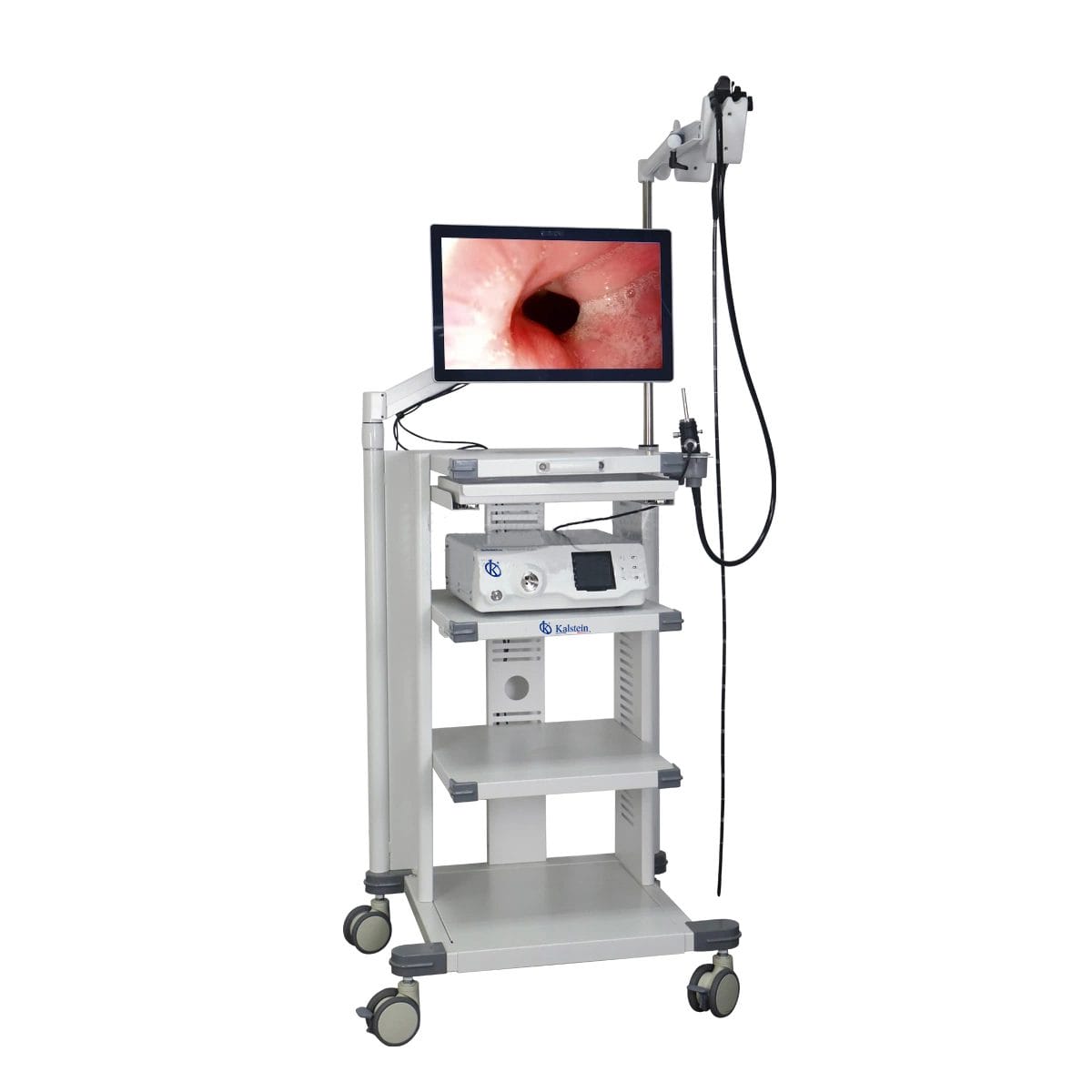
Installation and Startup Guide for the YR06149 Veterinary Video Endoscope
The YR06149 Veterinary Video Endoscope is a sophisticated tool designed for various clinical veterinary applications, including gastroscopy, colonoscopy, and bronchoscopy in companion animals like dogs and cats, as well as in large animals such as horses and cattle. This guide focuses on the essential steps for the installation and startup of this advanced equipment, ensuring that practitioners can utilize its capabilities effectively and efficiently.
Unboxing and Initial Setup
Upon receiving the YR06149 Veterinary Video Endoscope, it is vital to follow an unboxing checklist to ensure all components are accounted for. The following items should be included:
- Endoscope unit
- Image processing station
- Power supply unit
- Cables (USB, HDMI)
- User manual
- Accessories (if applicable)
Inspect each item for any visible damage or defects before proceeding with the installation.
Anchoring and Leveling
Installing the YR06149 involves securing the image processing station in an appropriate location within the clinical environment. Consider the following:
- Choose a stable surface that can support the weight of the equipment.
- Ensure that the station is level to prevent operational issues.
- Leave adequate space for ventilation and easy access to all ports.
Utilize leveling tools to confirm that the station is perfectly balanced before proceeding to the next step.
Power-Up Sequence
Once the installation area is prepared, follow this power-up sequence:
- Connect the power supply unit to the processing station and plug it into a wall outlet.
- Ensure that all cables, including those for the endoscope, are securely connected.
- Press the power button on the processing station to turn it on.
- Wait for the system to boot up, which may take a few moments.
During this time, the system will perform self-checks to ensure all components are functioning correctly.
Calibration and Network Setup
After powering up, the next step is calibration and network setup:
- Select the calibration option from the main menu.
- Follow on-screen prompts to adjust settings for optimal image quality.
- If the YR06149 will connect to a network (for data sharing or remote access), navigate to the network settings and enter the required information.
Calibration is crucial for ensuring that the images captured are accurate and of high quality.
Conducting First Run and Validating Measurements
Once the calibration and network setup are complete, it is essential to conduct a first run to validate operations:
- Insert the endoscope into a simulated or actual subject for testing.
- Monitor the display to ensure that images are clear and that controls respond appropriately.
- Document any anomalies or errors that occur during this initial run.
Validating measurements and image quality is crucial to ensure reliable operation in clinical settings.
Troubleshooting Common Setup Mistakes
Even with careful setup, issues can arise. Below are common mistakes and their solutions:
| Mistake | Possible Causes | Solutions |
|---|---|---|
| Equipment does not power on | Power supply failure, loose connections | Check power outlet, inspect connections |
| No image on the display | Cable connection issues, incorrect settings | Verify cable connections, check input source settings |
| Poor image quality | Calibration errors, lens obstruction | Recalibrate, clean the endoscope lens |
Technical Specifications of the YR06149
| Model | Diameter of Insertion Tube | Working Channel | Working Length | View Angle | View Depth | Range of Bending | Resolution |
|---|---|---|---|---|---|---|---|
| YR06149 | 9.2 mm | 2.8 mm | 3000 mm | 140° | 3~100 mm | 180° (up), 130° (down), 100° (right), 100° (left) | FHD 1080P (2M pixels) |
Frequently Asked Questions
What types of procedures can the YR06149 Veterinary Video Endoscope perform?
The YR06149 is versatile and can perform gastroscopy, colonoscopy, and bronchoscopy in small animals, along with esophagoscopy and other endoscopic procedures in large animals like horses and cattle.
How do I ensure the YR06149 endoscope is clean before use?
Disinfect the endoscope using appropriate cleaning solutions and techniques as outlined in the user manual. Ensure that all channels are free from obstructions.
What is the optimal working length for the YR06149?
The YR06149 has a working length of 3000 mm, which allows for a wide range of maneuverability during procedures.
How can I troubleshoot if the images are unclear during a procedure?
First, check if the lens is clean. If the issue persists, recalibrate the system according to the setup instructions. Ensure that the correct settings for the procedure are selected.
What are the maintenance requirements for the YR06149?
Regularly clean the endoscope and perform periodic checks on the image processing unit. Follow the maintenance schedule provided in the user manual for optimal performance.
Is training available for using the YR06149?
Yes, training sessions can be arranged through authorized distributors or directly via Kalstein to ensure proper usage and understanding of the equipment.
Can I request a quote for the YR06149?
Absolutely! Please contact us to request a quote tailored to your needs.
If you are looking for a fusion of innovation and quality, you have come to the right place. At Kalstein, we offer you the luxury of exploring our exclusive catalog of laboratory equipment. We manufacture every device to the highest standards of excellence. Our intuitive and seamless online purchasing channels are designed for your convenience, securing the most competitive prices. Hesitate no longer — we bring science to life, it is time to become part of our community.