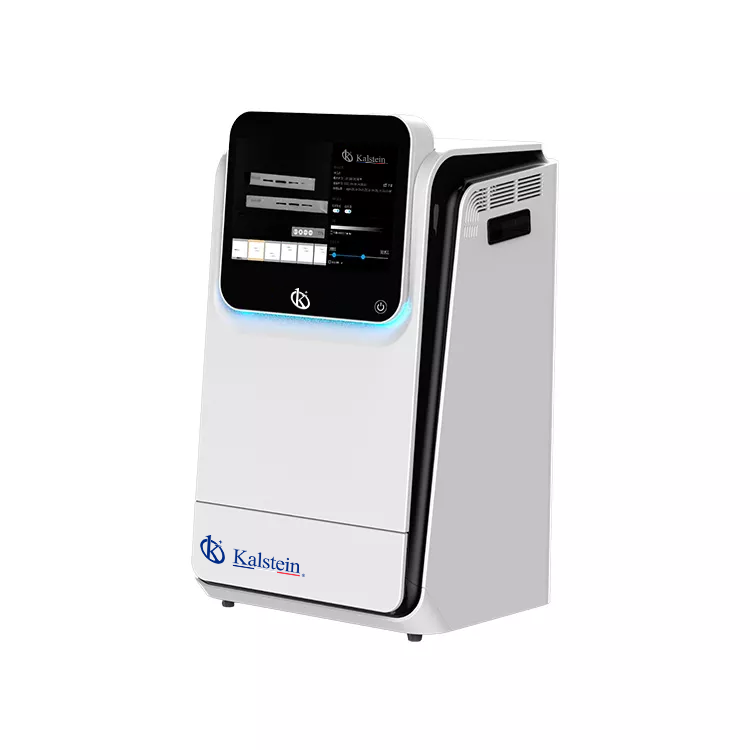
Installation and Startup Guide for the YR06210 Multifunctional Imager
The YR06210 Multifunctional Imager is designed for high-performance fluorescence and chemiluminescence detection, making it a valuable asset in various laboratory settings. This guide provides comprehensive instructions for the installation and initial setup of the YR06210, ensuring that you maximize the potential of your new equipment.
Overview of the YR06210 Multifunctional Imager
The YR06210 is equipped with a highly sensitive cooled digital camera and supports a wide range of applications, including chemiluminescence imaging and fluorescent Western blotting. The imager features an electronic lifting platform designed to accommodate various sample sizes, making it versatile for different laboratory needs.
Technical Specifications of YR06210
| Specification | YR06210 |
|---|---|
| Model | YR06210 |
| Application | Chemiluminescence Imaging, Fluorescence Imaging, Gel Documentation |
| Sensor | Back illuminated SCMOS Sensor |
| Resolution | 9.0 Megapixels |
| Dynamic Range | 4.8OD |
| Temperature | -30 °C regulated |
| Software | SHST Capture and Analysis Software |
Unboxing and Initial Setup
Upon receiving your YR06210, it is crucial to follow the unboxing and setup protocols properly. Begin by checking the contents against the included checklist to ensure all components are present.
- YR06210 Multifunctional Imager
- Power cable
- User manual
- Optional removable PC (if purchased)
Physical Installation Steps
Follow these steps for optimal physical setup:
- Location Selection: Choose a stable, vibration-free surface to place the imager.
- Leveling the Equipment: Use a spirit level to ensure the imager is perfectly level to avoid inaccurate measurements.
- Power Connection: Connect the power cable to the specified outlet, ensuring the voltage matches the device requirements.
- Network Configuration: If using the optional removable PC, connect it to your network for software updates and data transfer.
Powering Up and First Calibration
Once physically set up, you can power on the YR06210. Follow these steps:
- Press the power button on the device and wait for the initialization to complete.
- Launch the SHST Capture and Analysis Software.
- Perform the first calibration according to the software instructions, ensuring all settings match your specific application needs.
Common Installation Issues and Solutions
During installation, you may encounter a few common issues. Below is a table summarizing potential problems and their solutions.
| Issue | Possible Cause | Solution |
|---|---|---|
| Imager does not power on | Power cable not connected | Check and secure the power connection |
| Software fails to launch | PC not connected properly | Ensure the removable PC is properly connected and configured |
| Calibration errors | Improper initial setup | Revisit the setup instructions and recalibrate |
Frequently Asked Questions
What are the power requirements for the YR06210?
The YR06210 operates on standard laboratory power requirements. Ensure that the voltage matches the specifications outlined in the user manual to prevent damage.
How do I perform software updates for the YR06210?
Software updates can be done through the SHST Capture and Analysis Software. Connect the device to the network and follow the prompts within the software to check for and install updates.
What types of samples can be analyzed using the YR06210?
The YR06210 is compatible with a wide range of biological samples, including protein gels, DNA/RNA samples, and chemiluminescent assays, making it versatile for many applications.
How can I troubleshoot common error codes on the YR06210?
Refer to the troubleshooting section of the user manual for specific error codes. The software will also provide guidance on resolving issues based on error messages.
What maintenance is required for the YR06210?
Regular maintenance includes cleaning the optical surfaces, checking software functionality, and monitoring the cooling system to ensure optimal performance.
Can I integrate the YR06210 with other laboratory equipment?
Yes, the YR06210 can be integrated with other laboratory equipment, especially those used for imaging and documentation, provided they are compatible with the software features.
What optional accessories are available for the YR06210?
Optional accessories include various lenses for enhanced imaging, additional software features, and a removable industrial computer for improved processing capabilities.
If you are looking for a fusion of innovation and quality, you have come to the right place. At Kalstein, we offer you the luxury of exploring our exclusive catalog of laboratory equipment. We manufacture every device to the highest standards of excellence. Our intuitive and seamless online purchasing channels are designed for your convenience, securing the most competitive prices. Hesitate no longer — we bring science to life, it is time to become part of our community.