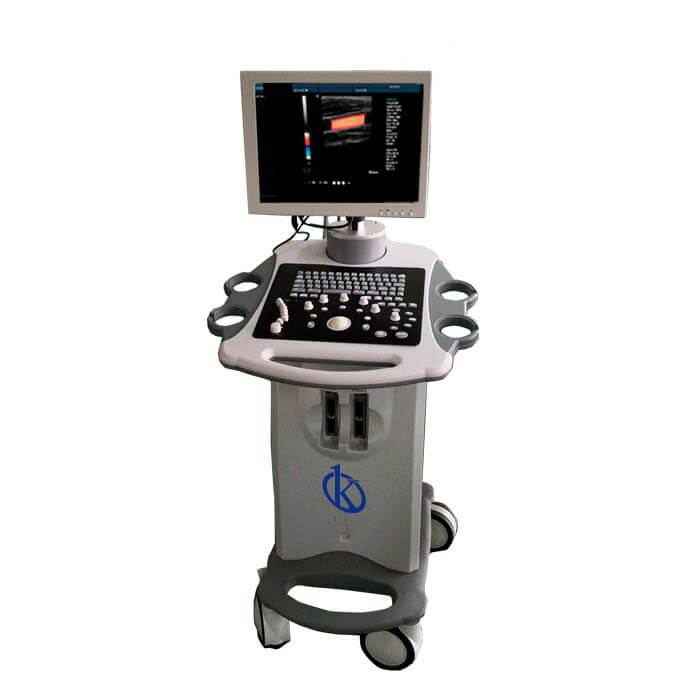
Troubleshooting Common Errors on the YR05155: A Practical Guide
The YR05155 ultrasound scanner is a highly efficient diagnostic tool widely used in clinical and industrial settings. However, like any sophisticated piece of equipment, it can encounter a range of common errors that may disrupt its operation. This guide provides an in-depth look at typical issues operators may face with the YR05155, along with troubleshooting steps to resolve them effectively.
Understanding Common Symptoms and Troubleshooting Steps
Before diving into specific error codes, it is essential to recognize that many issues can stem from user error or environmental factors. Below, we outline some of the most common symptoms associated with the YR05155 and provide troubleshooting solutions.
| Symptom | Probable Causes | Diagnostic Steps | Concrete Fixes |
|---|---|---|---|
| Equipment does not power on | Power supply issues, faulty power cord | Check power outlet, inspect power cord | Replace power cord, use a different outlet |
| Error code E-03 | Probe connection issues, software malfunction | Inspect probe connections, restart the device | Reconnect the probe, update software |
| Inconsistent readings | Calibration issues, environmental factors | Verify calibration, check for external interference | Calibrate the device, relocate to a controlled environment |
Technical Specifications of the YR05155
| Model | Brand | Category | Subcategory | Price (USD) | Gross Weight | Dimensions |
|---|---|---|---|---|---|---|
| YR05155 | Kalstein | Ultrasound Scanner | Ultrasonic diagnostic equipment | $950.00 | 2.5 kg | 18 x 24 x 9 cm |
Common Error Codes and Their Solutions
The YR05155 ultrasound scanner may display various error codes, each indicating a specific issue that requires attention. Below are some of the most frequent error codes and the appropriate solutions.
Error Code E-01
This error typically indicates a failure in the probe's connection. To troubleshoot this issue, ensure that the probe is securely connected to the device. If the problem persists, inspect the probe for any physical damage.
Error Code E-02
Error E-02 may suggest an internal software glitch. Restarting the YR05155 can often resolve temporary software issues. If the error continues, consider performing a software update or resetting the device to factory settings.
Error Code E-03
As previously mentioned, error E-03 usually relates to probe connection problems. Rechecking all connections and ensuring cleanliness is vital to resolving this error.
Calibration and Maintenance Procedures
Calibrating the YR05155 ultrasound scanner is crucial for ensuring accurate results. Regular maintenance is also necessary to prolong the lifespan of the equipment. Here’s how to maintain and calibrate your YR05155:
- Perform weekly calibration checks.
- Clean the probe after each use.
- Inspect the equipment for any signs of wear and tear.
- Keep the device in a controlled environment to avoid external factors affecting performance.
Frequently Asked Questions
What should I do if the YR05155 does not turn on?
If the YR05155 does not turn on, first check the power supply and ensure the power cord is functioning correctly. Inspect the power outlet for issues as well. If all appears well and the device still will not power on, contact technical support for further assistance.
How can I resolve error code E-03 on the YR05155?
Error code E-03 suggests a probe connection issue. Ensure the probe is securely connected and check for any visible damage. Restarting the machine may also resolve this error. If the problem persists, the probe may need to be replaced.
What maintenance is required for the YR05155?
Regular maintenance for the YR05155 includes cleaning the probe after each use, performing routine calibration, and checking for any software updates. Ensure that the equipment is stored in a suitable environment to enhance durability.
How often should I calibrate the YR05155?
The YR05155 should be calibrated at least once a week to ensure accurate readings. However, if the device is used extensively, more frequent calibrations may be necessary.
Can environmental factors affect the performance of the YR05155?
Yes, environmental factors such as temperature, humidity, and electromagnetic interference can impact the performance of the YR05155. It is best to operate the device in a controlled environment to minimize these effects.
What are the common error codes for the YR05155?
The common error codes for the YR05155 include E-01, E-02, and E-03, each indicating different issues such as probe connection failures or software glitches. Refer to the troubleshooting section for specific solutions.
Where can I request a quote for the YR05155?
You can request a quote for the YR05155 directly through our contact page, where our team will assist you in getting the best pricing options available.
If you are looking for a fusion of innovation and quality, you have come to the right place. At Kalstein, we offer you the luxury of exploring our exclusive catalog of laboratory equipment. We manufacture every device to the highest standards of excellence. Our intuitive and seamless online purchasing channels are designed for your convenience, securing the most competitive prices. Hesitate no longer — we bring science to life, it is time to become part of our community.