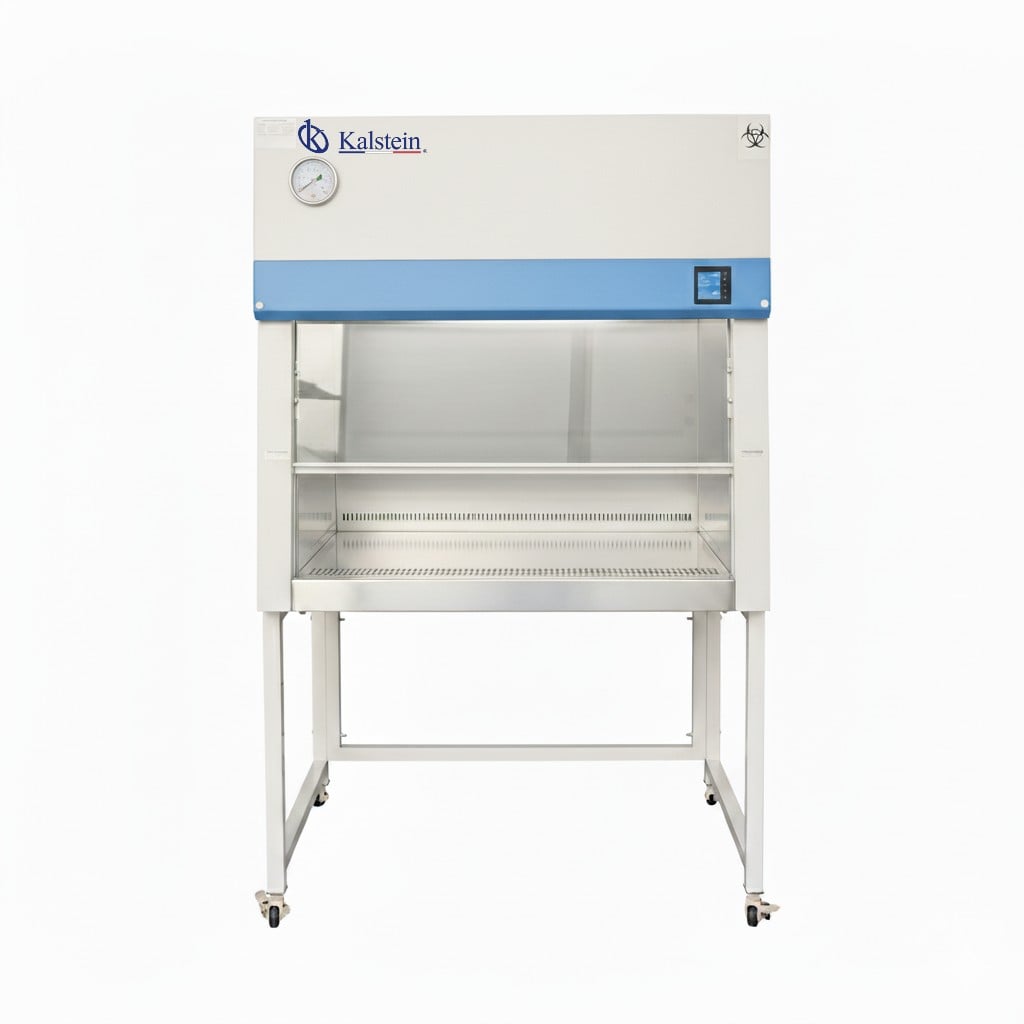
Troubleshooting Common Symptoms of the YR06541 Biological Safety Cabinet
The YR06541 Biological Safety Cabinet is designed to provide protection for personnel, products, and the environment in laboratories handling potentially hazardous biological materials. While this advanced equipment is engineered for reliability, users may encounter various symptoms indicating issues that require troubleshooting. This guide focuses on common symptoms associated with the YR06541, detailing their probable causes and providing effective solutions to maintain the cabinet's optimal performance.
Technical Data Table for YR06541
| Model | YR06541 |
|---|---|
| Dimensions (mm) | 1900 x 1000 x 1400 |
| Net Weight (kg) | 330 |
| Package Size (mm) | 190 x 100 x 140 |
| Certification | ISO14644.1 Class 5 |
| Filtration | HEPA and ULPA filters |
| Power Supply | 220V/50HZ |
Common Symptoms and Troubleshooting Guide
When using the YR06541 Biological Safety Cabinet, operators may experience various symptoms that can impact performance. Below is a detailed troubleshooting guide structured by symptom.
Equipment Does Not Power On
If the YR06541 fails to power on, the following causes may be responsible:
- Power Supply Issues: Check if the power cord is securely connected and the outlet is functional. Use a multimeter to test the outlet voltage.
- Internal Fuse Blown: Inspect the internal fuse and replace it if necessary.
- Control Panel Malfunction: If the control panel shows no signs of life, the panel may require replacement.
Solution: Ensure all connections are secure, check the outlet, replace the fuse if necessary, and consult an authorized technician if the control panel is faulty.
Error Code E-03 Displayed
Error code E-03 typically indicates a filtration system malfunction. Possible causes include:
- Clogged Filters: Inspect the HEPA and ULPA filters for blockage. Replace any filters that show significant accumulation of particulates.
- Fan Issues: Verify that the internal fan is operational and not obstructed.
Solution: Replace clogged filters and ensure the fan operates correctly. A routine maintenance schedule will help prevent future occurrences.
Inconsistent Airflow Readings
Inconsistent airflow may lead to compromised safety. Consider the following potential causes:
- Flow Sensor Malfunction: The flow sensor may be faulty or need recalibration.
- Environmental Factors: Ensure that the operating environment meets the recommended conditions for temperature and humidity.
Solution: Recalibrate the flow sensor and check the operating conditions. Periodic calibration of sensors is essential for accuracy.
Frequent Filter Replacement Required
Excessive filter replacements may indicate underlying issues. Possible causes include:
- High Contaminant Levels: Operating in a heavily contaminated area may require more frequent filter changes.
- Improper Usage: Ensure the cabinet is used according to its specifications to minimize filter wear.
Solution: Evaluate the contamination levels of the surrounding area and educate users on proper cabinet usage techniques.
Cabinet Temperature Exceeds Recommended Levels
If the cabinet's internal temperature rises beyond the specified range, this may occur due to:
- Cooling System Failure: Inspect the cooling fan and other components for malfunctions.
- Blocked Vents: Ensure that all air vents are unobstructed and clean.
Solution: Perform maintenance on the cooling components and check for any obstructions in the airflow.
Symptoms and Solutions Matrix
| Symptom | Probable Cause | Solution |
|---|---|---|
| Equipment Does Not Power On | Power supply issues, blown fuse, control panel malfunction | Check connections, replace fuse, consult technician |
| Error Code E-03 Displayed | Clogged filters, fan issues | Replace filters, ensure fan operation |
| Inconsistent Airflow Readings | Flow sensor malfunction, environmental factors | Recalibrate sensor, check conditions |
| Frequent Filter Replacement Required | High contaminant levels, improper usage | Evaluate contamination and educate users |
| Cabinet Temperature Exceeds Levels | Cooling system failure, blocked vents | Perform maintenance, check for obstructions |
Frequently Asked Questions
What are the typical environmental requirements for the YR06541?
The YR06541 Biological Safety Cabinet operates best in environments with temperatures between 10-30°C and relative humidity below 70%. Maintaining these conditions ensures peak performance and longevity.
How often should filters be replaced in the YR06541?
Filters in the YR06541 should be inspected regularly and changed based on usage and environmental conditions. Typically, high-contaminant environments may necessitate more frequent replacements, while standard use may allow for longer intervals.
What maintenance is recommended for the YR06541?
Regular maintenance includes cleaning the work surface, checking airflow rates, inspecting and replacing filters, and ensuring the calibration of sensors. A preventive maintenance schedule will help mitigate potential issues.
Can the YR06541 be used in different laboratory settings?
Yes, the YR06541 is versatile and can be adapted for use in various laboratory settings, including clinical, industrial, food, and educational environments. Its design supports a wide range of applications while maintaining necessary safety protocols.
What should I do if the YR06541 displays an error code not listed in the manual?
If an unrecognized error code appears, conduct a preliminary inspection based on common symptoms, then consult the user manual for further troubleshooting steps or contact a qualified technician for assistance.
Is there a warranty provided with the YR06541?
The YR06541 typically comes with a warranty covering parts and labor for a specified period after purchase. Please refer to the warranty documentation for detailed terms and conditions.
Conclusion
Understanding the common symptoms and troubleshooting techniques for the YR06541 Biological Safety Cabinet is essential for maintaining a safe and efficient laboratory environment. Regular maintenance and prompt attention to symptoms are key to ensuring the longevity and effectiveness of this critical equipment.
If you are looking for a fusion of innovation and quality, you have come to the right place. At Kalstein, we offer you the luxury of exploring our exclusive catalog of laboratory equipment. We manufacture every device to the highest standards of excellence. Our intuitive and seamless online purchasing channels are designed for your convenience, securing the most competitive prices. Hesitate no longer — we bring science to life, it is time to become part of our community.